The Shark Matrix Plus 2-in-1 Robot Vacuum and Mop combines suction power with sonic mopping for a complete clean from start to finish. First, it’s a powerful whole home vacuum on carpets and floors. Second, it’s a powerful vacuum that sonic mops hard floors at the same time. No cleaning detail is missed with corner and edge cleaning, and a self-cleaning brush-roll for pet hair.
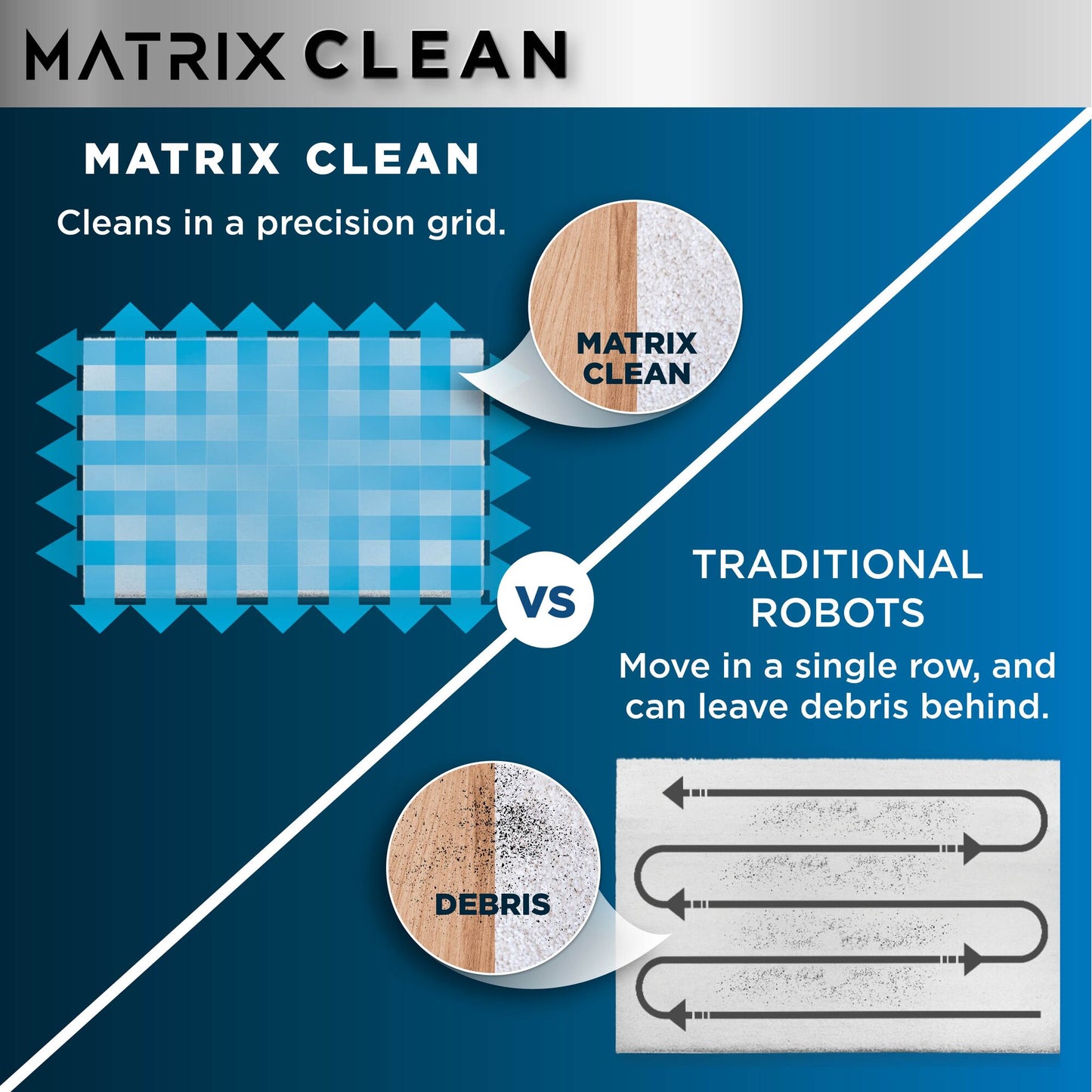
Cleans in a precision matrix grid for optimum coverage
Sonic mopping scrubs hard floors 100x per minute
Cleans edges & corners with blasts of air
Includes Shark Matrix Plus 2-in-1 Robot, Filter, Side Brush, 2 Microfibre Reusable Mopping Pads
Dimensions: W:34cm x D34cm x H14.5cm. Weight: 4.4kg. Colour: White/Silver.
2-year guarantee upon registration with Shark (UK & ROI only)
Colour
White
Product Weight
4.4kg
Product Dimensions (cm)
(Robot): W:34cm x D34cm x H14.5cm
Capacity
Dust Cup: 0.3L
Wattage
650W
Barcode
0622356326032
Cleaning Instructions
Carpets & Hardfloors
Guarantee
2 Years
Main Unit
1 x Standard Dock
2 x Side Brushes
2 x Washable Mopping Pads
Collapsible content
How do I charge my robot?
Make sure the base has power. Place the robot on the base so that two metal pads on the bottom of the robot touches the metal contacts on the charging base. When the robot is placed correctly, it will begins to charge Note: Wait 5 seconds (or longer if the battery is depleted) to readjust the position of the robot on the base as it may take time for the robot to indicate it is charging. If your robot is still not charging, use a clean dry cloth to wipe clean the sensors and the charging pads on the bottom of the robot and the base and try again.
Will my robot fall downstairs?
Your robot's cliff sensors will prevent it from falling off ledges. For the cliff sensors to work properly in any mode, all runners, rugs, or carpets must be at least 20cm from any stairs/steps.If needed, creating a no-go zone via the app will help create parameters.
Can my robot clean at night, in the dark?
Yes. Shark AI Laser Vision is not dependent on ambient lighting and can navigate your home at night or in low lighting conditions.
How long will my robot clean before needing to recharge, and how long does it take to charge?
A typical cleaning cycle lasts about an hour. (This varies depending on the cleaning mode you are using and the floor type of your home). Your robot can take up to six hours to fully charge from an empty battery.
How do I send my robot back to its base?
Press the base button on your robot or in the SharkClean® app and your robot will navigate back to the base if the location of the base is saved on the map. NOTE: Do not pick up your robot if it is running. Place your robot on the base if it has low charge or no charge (one flashing red battery indicator or no indicator lights).
How do I empty the Dust Bin and how often should I empty it?
Empty the Dust Bin after each use: 1. To remove the dust bin from the back of your robot, press the release button and slide out the bin. 2. Hold the dust bin over the trash. 3. Press and hold the release button again and lift open the dust bin lid. 4. Empty debris into the trash. 5. Clean the area between the filter and the plastic shield. 6. If a wash is desired, first remove the filter. Rinse the dust bin with water only and allow it to air-dry before reinstalling.
How do I download and use the SharkClean® app?
For Apple: 1. Tap on the App Store icon- 2. Search the Apple App Store for ""SharkClean®"". 3. Tap on the SharkClean® app. 4. Tap Install on the next page. Installation should begin. For Android: 1. Tap on the Play Store icon in the Play Store- 2. Search for ""SharkClean®."" 3. Tap on the SharkClean® app. 4. Tap install on the Shark app page. Installation should begin.
Cleans in a precision matrix grid for optimum coverage
Sonic mopping scrubs hard floors 100x per minute
Cleans edges & corners with blasts of air
Includes Shark Matrix Plus 2-in-1 Robot, Filter, Side Brush, 2 Microfibre Reusable Mopping Pads
Dimensions: W:34cm x D34cm x H14.5cm. Weight: 4.4kg. Colour: White/Silver.
2-year guarantee upon registration with Shark (UK & ROI only)
Specifications
Colour
White
Product Weight
4.4kg
Product Dimensions (cm)
(Robot): W:34cm x D34cm x H14.5cm
Capacity
Dust Cup: 0.3L
Wattage
650W
Barcode
0622356326032
Cleaning Instructions
Carpets & Hardfloors
Guarantee
2 Years
What's Included
Main Unit
1 x Standard Dock
2 x Side Brushes
2 x Washable Mopping Pads
FAQs
How do I charge my robot?
Make sure the base has power. Place the robot on the base so that two metal pads on the bottom of the robot touches the metal contacts on the charging base. When the robot is placed correctly, it will begins to charge Note: Wait 5 seconds (or longer if the battery is depleted) to readjust the position of the robot on the base as it may take time for the robot to indicate it is charging. If your robot is still not charging, use a clean dry cloth to wipe clean the sensors and the charging pads on the bottom of the robot and the base and try again.
Will my robot fall downstairs?
Your robot's cliff sensors will prevent it from falling off ledges. For the cliff sensors to work properly in any mode, all runners, rugs, or carpets must be at least 20cm from any stairs/steps.If needed, creating a no-go zone via the app will help create parameters.
Can my robot clean at night, in the dark?
Yes. Shark AI Laser Vision is not dependent on ambient lighting and can navigate your home at night or in low lighting conditions.
How long will my robot clean before needing to recharge, and how long does it take to charge?
A typical cleaning cycle lasts about an hour. (This varies depending on the cleaning mode you are using and the floor type of your home). Your robot can take up to six hours to fully charge from an empty battery.
How do I send my robot back to its base?
Press the base button on your robot or in the SharkClean® app and your robot will navigate back to the base if the location of the base is saved on the map. NOTE: Do not pick up your robot if it is running. Place your robot on the base if it has low charge or no charge (one flashing red battery indicator or no indicator lights).
How do I empty the Dust Bin and how often should I empty it?
Empty the Dust Bin after each use: 1. To remove the dust bin from the back of your robot, press the release button and slide out the bin. 2. Hold the dust bin over the trash. 3. Press and hold the release button again and lift open the dust bin lid. 4. Empty debris into the trash. 5. Clean the area between the filter and the plastic shield. 6. If a wash is desired, first remove the filter. Rinse the dust bin with water only and allow it to air-dry before reinstalling.
How do I download and use the SharkClean® app?
For Apple: 1. Tap on the App Store icon- 2. Search the Apple App Store for ""SharkClean®"". 3. Tap on the SharkClean® app. 4. Tap Install on the next page. Installation should begin. For Android: 1. Tap on the Play Store icon in the Play Store- 2. Search for ""SharkClean®."" 3. Tap on the SharkClean® app. 4. Tap install on the Shark app page. Installation should begin.